# 应用场景
{% embed url="" %}
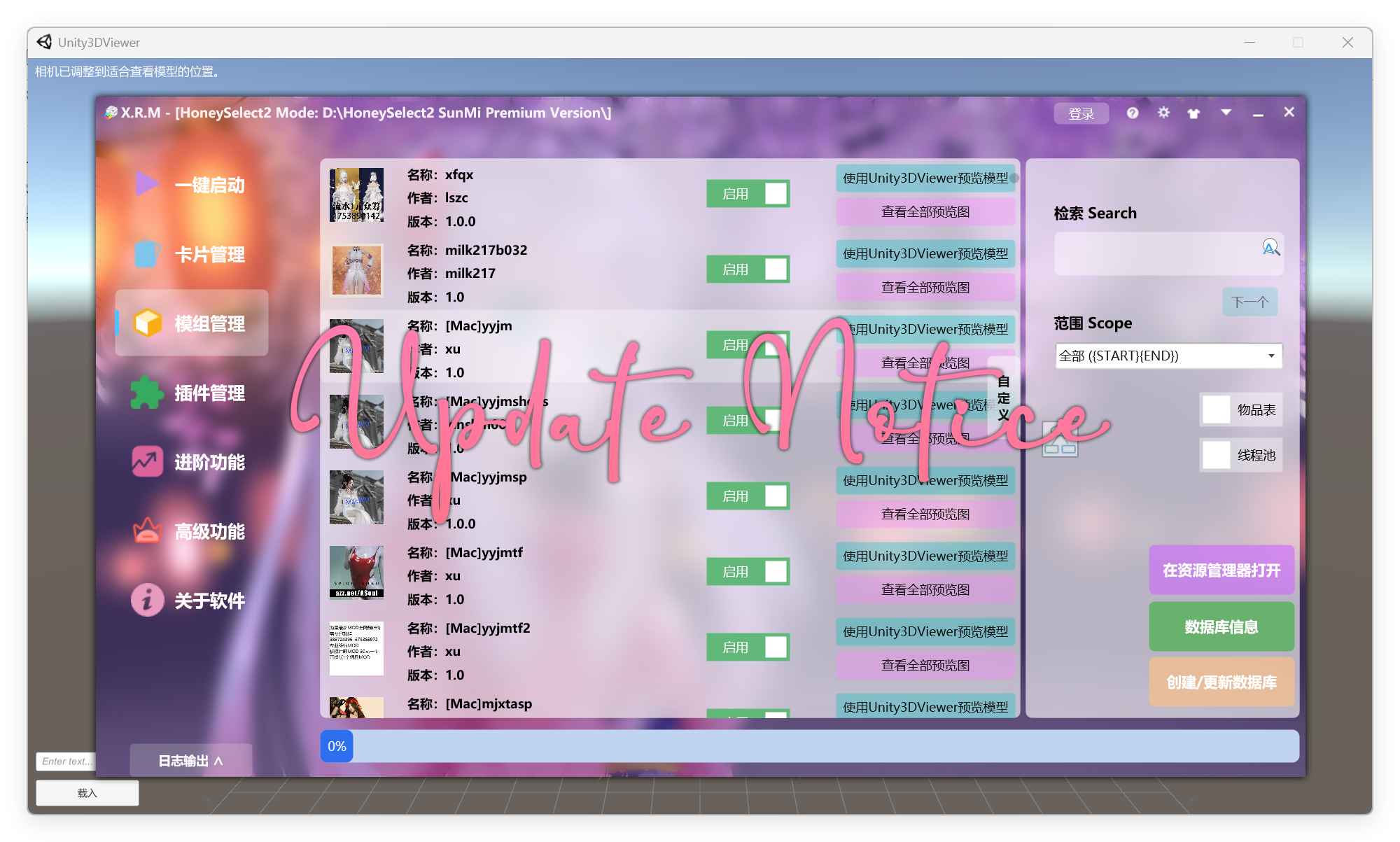
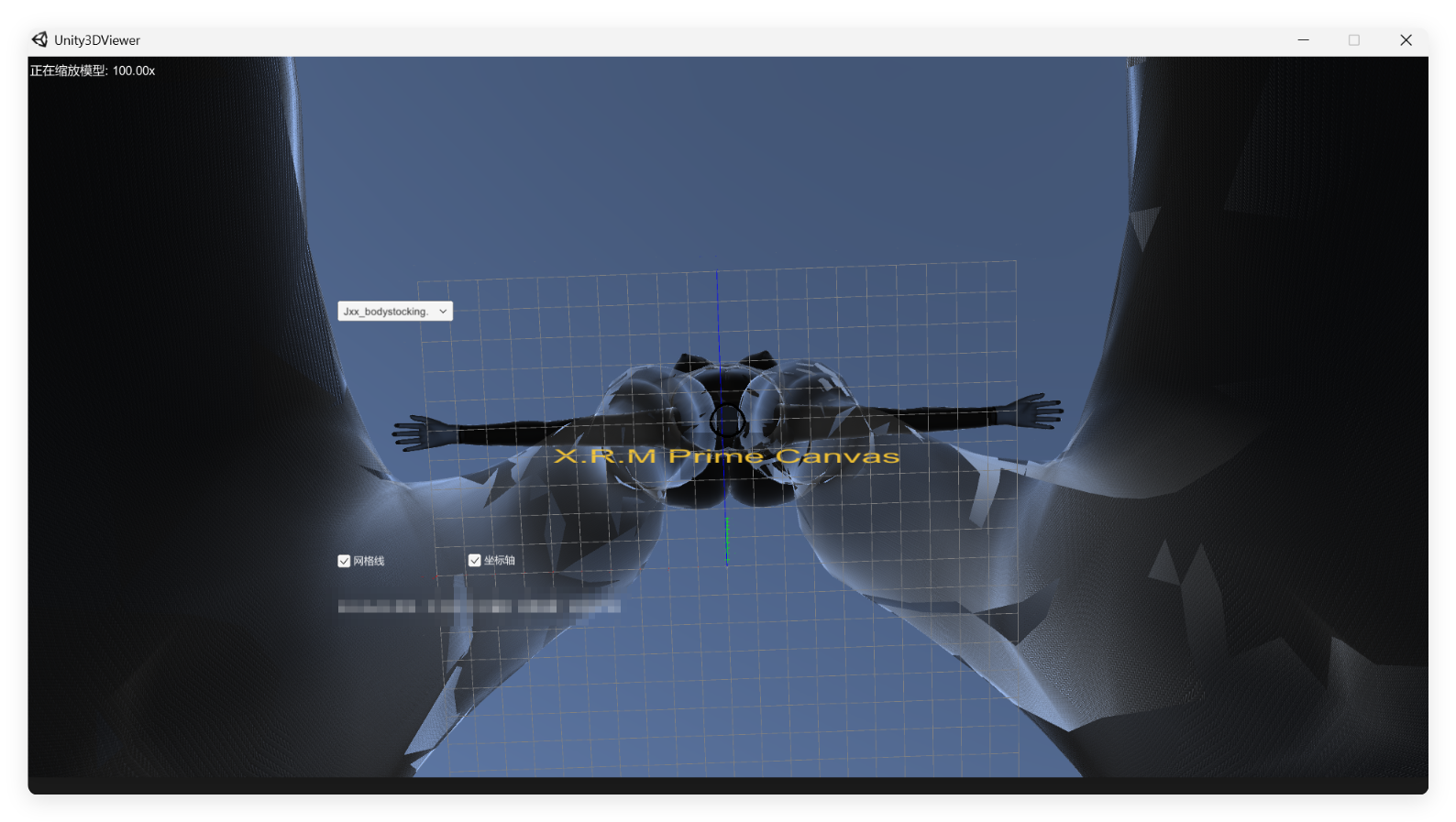
**\*使用Unity引擎对ZipMod/Unity3D进行渲染式预览\***\
**\*本工具主要作为** [**X.R.M Prime Canvas**](https://xrm.winkai.top/) **或者 HS2管理器 的插件使用\***
**本次更新内容:**\
**①** [**X.R.M Prime Canvas**](https://xrm.winkai.top/) **为此插件制定了缓存自动清理,避免用户因高强度使用模型预览功能场景下Windows存储感知清理不及时所导致的C盘爆满,**\
**此内容并不属于Unity3DViewer,因此如果您选择独立使用本插件,请注意此路径的文件。**
```
%LOCALAPPDATA%\Temp\ArSunMi\Unity3DViewer
```
**② 修复使用鼠标左键转动模型视角速率过慢的问题。**\
**③ 更广泛的缩放倍数支持,0.01x-100.00x。**\
**④ 移除过倍反向缩放的特性。**
**就目前** [**X.R.M Prime Canvas**](https://xrm.winkai.top/) **的用户使用反馈来看,此插件主要被用于直观的筛选整合包内不想要的模组内容**\
\
**=== 此应用场景的详细教程如下**\
\
**①** [**下载 X.R.M Prime Canvas**](https://www.123684.com/s/W33zVv-uJHAA)\
**② 解压安装,通常建议在游戏根目录创建“XRM”文件夹,并将全部解压的文件放入完成安装**\
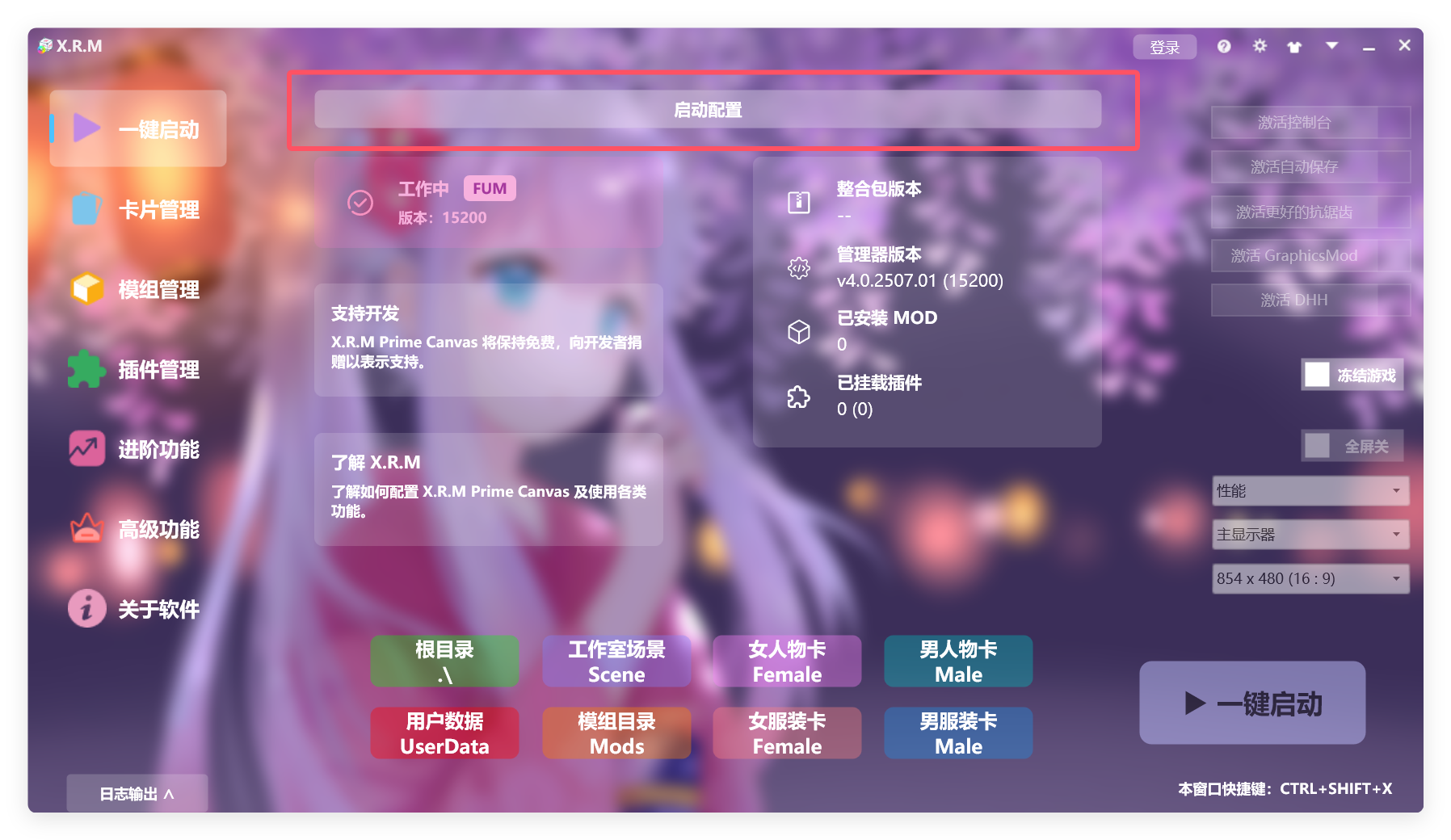
**③ 运行“启动器.exe”,您可以将此文件发送快捷方式到桌面**\
**④ 进入主界面后,点击“启动配置”**
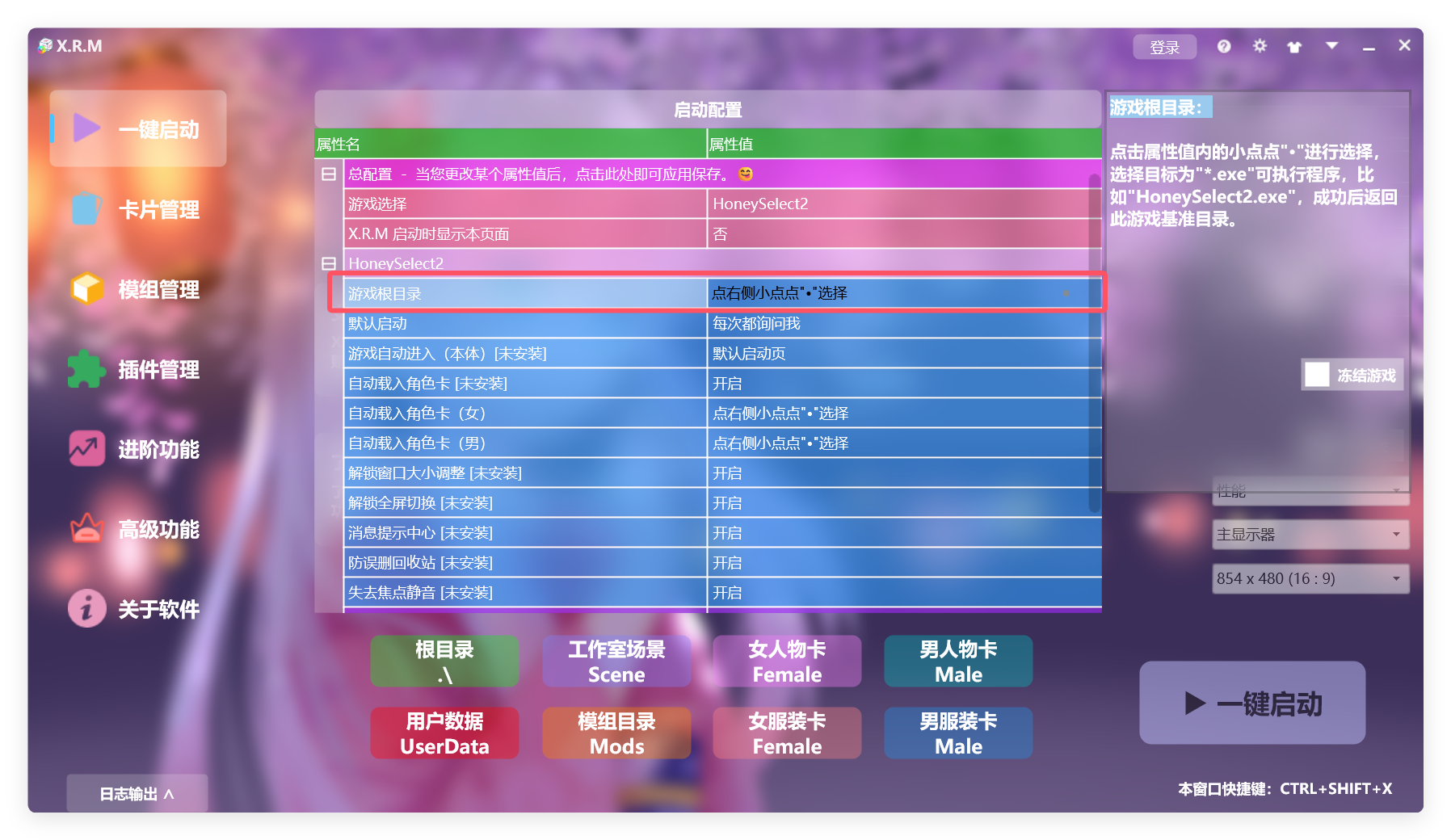
**⑤ 在下拉属性框中配置 HoneySelect2 目录基准**
**⑥ 选择 "HoneySelect2.exe" 主程序完成配置,XRM 此时要求重新启动**\
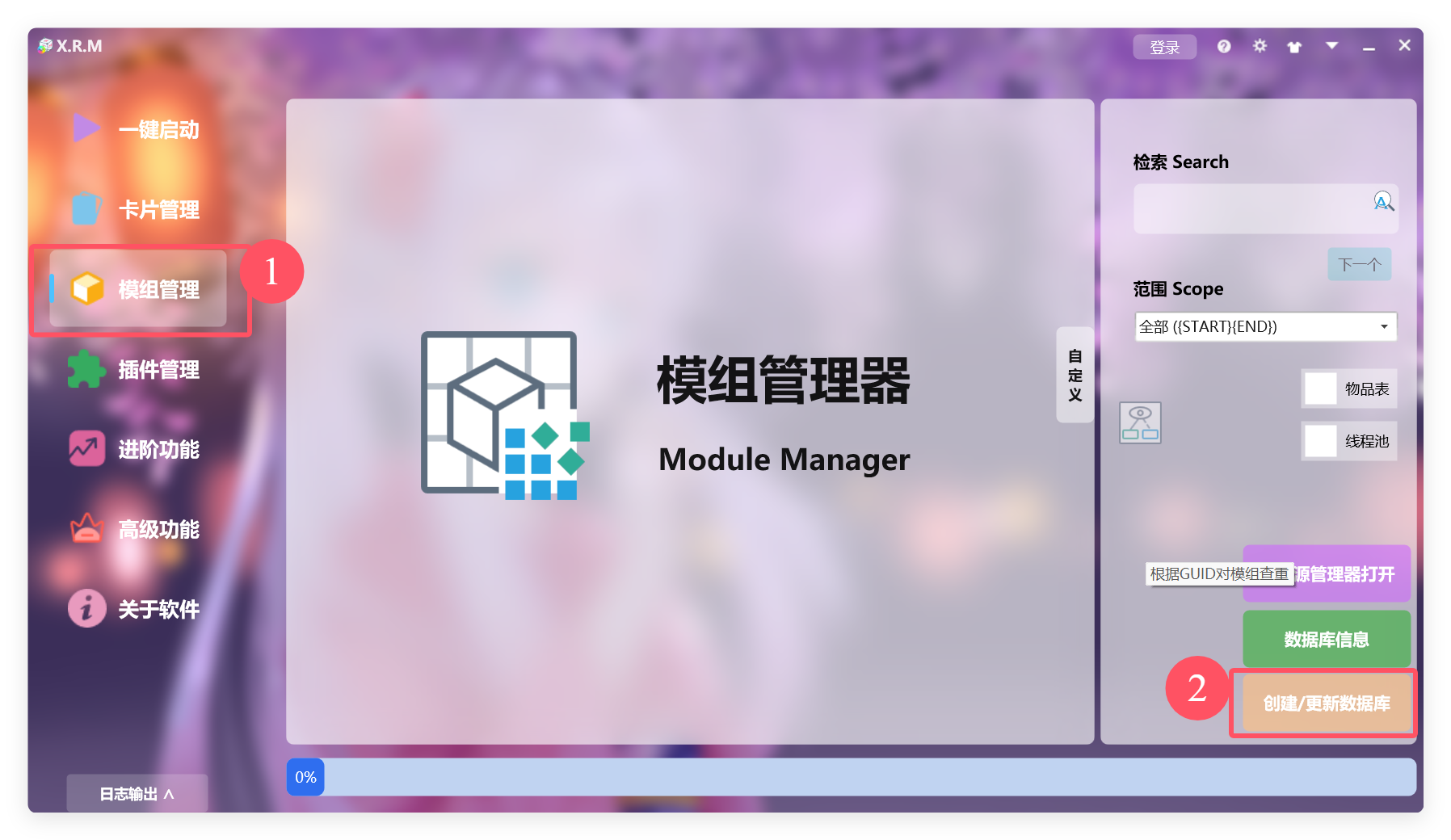
**⑦ 创建数据库,进入 模组管理 并点击 创建/更新数据库**
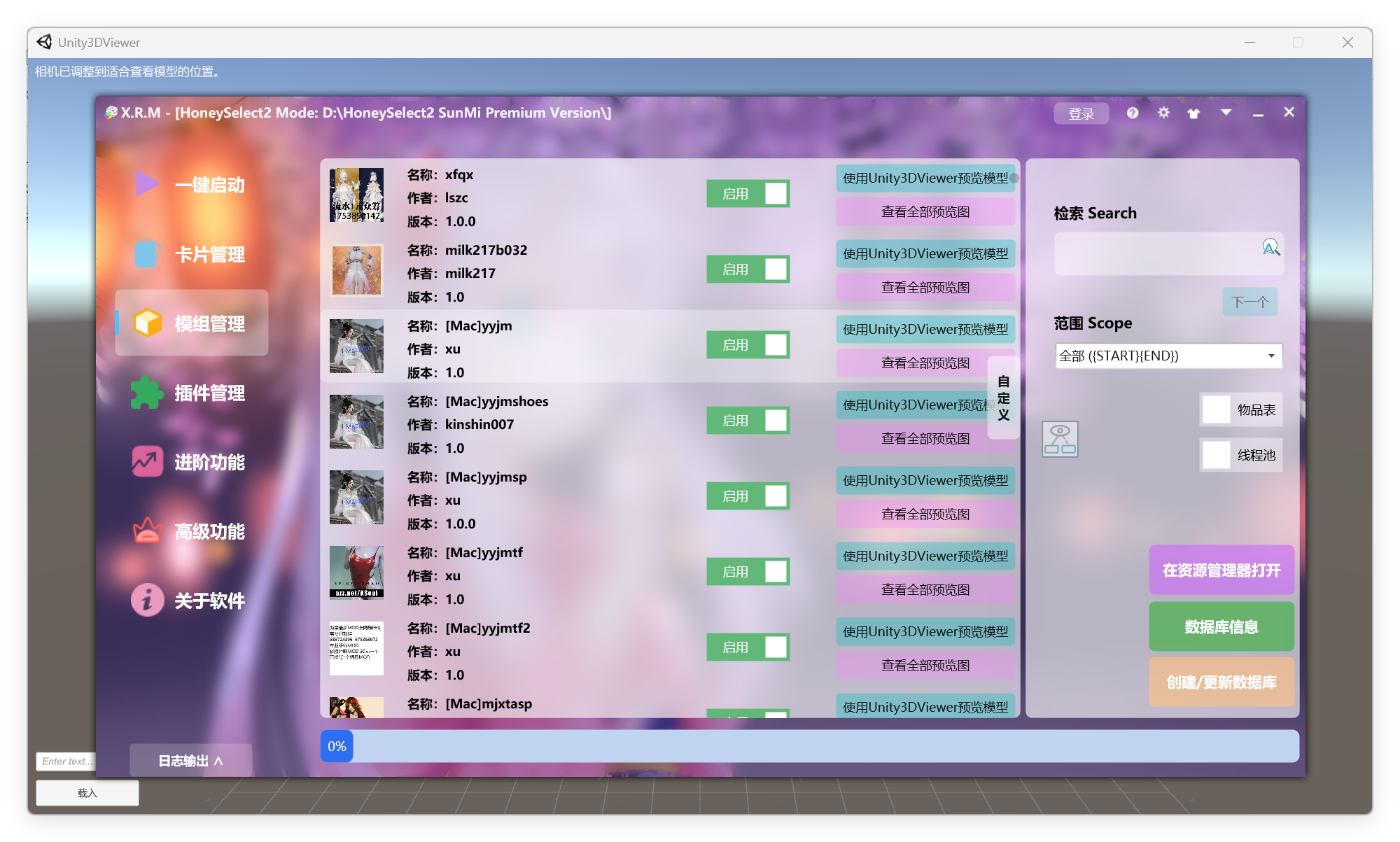
**⑧ 等待创建完毕后程序自动重启,再次进入模组管理,点击 使用Unity3DViewer预览模型**
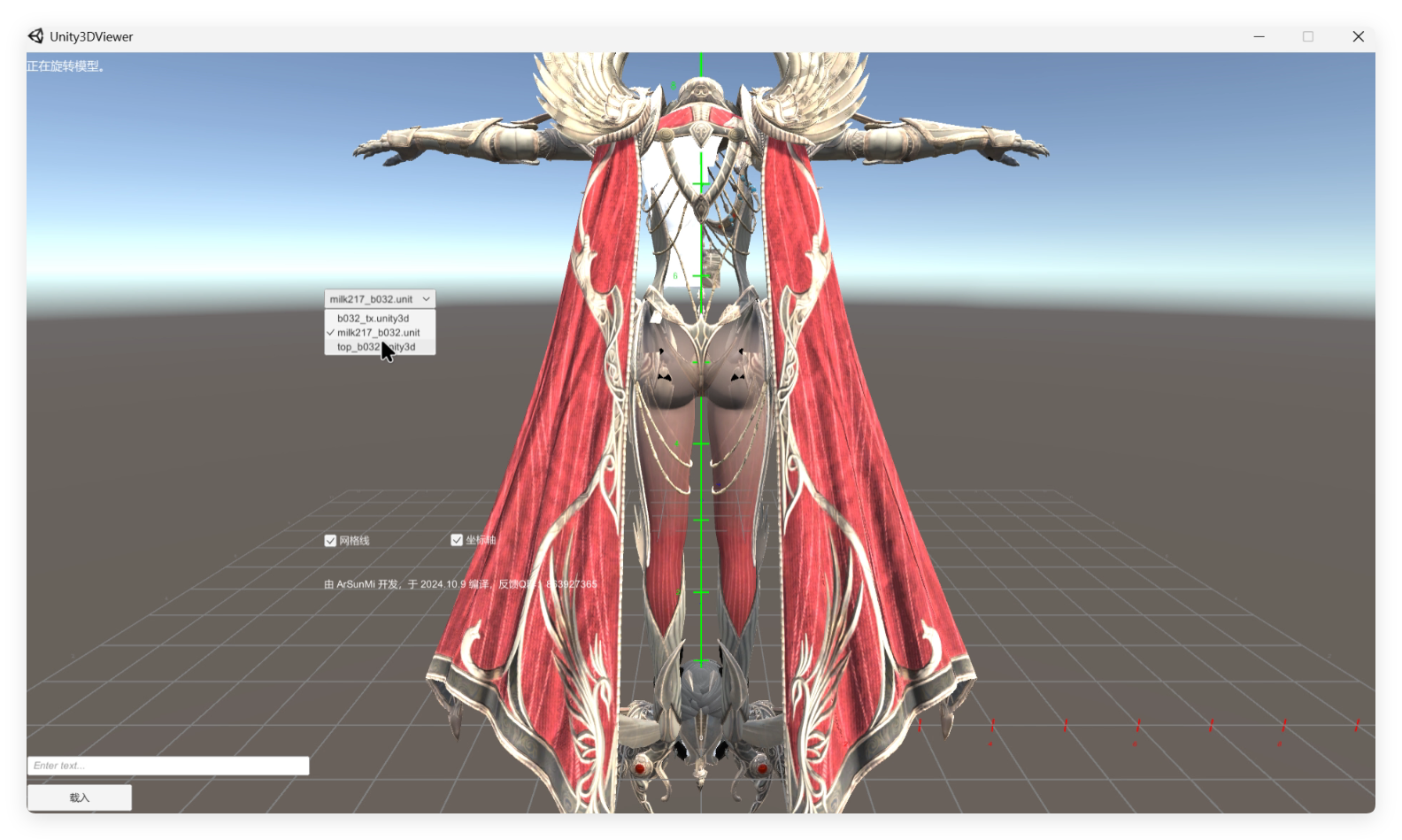
**⑨ XRM 会自动调用 Unity3DViewer 并解析可渲染的模型**
**⑩ 如果您发现此模组并不符合您的审美,请回到 XRM 并点击关闭绿色的启用按钮将其禁用**\
\
**重复以上步骤,对大量模组预览并禁用,直到完成**\
**被禁用的模组会被标记为 XXX.zipmod.XRM ,您可以在资源管理器清除所有 \*.XRM 后缀的文件完成清理**\
~~由于当前数据库仅支持 新建/增加/禁用 ,不支持检测被删除的模组,所以清理完毕后,您可以选择清理以下目录文件并重新创建~~ **已支持,更新数据库即可**
```
XRM安装目录/data/database
```
**\*支持的鼠标操作手势(与游戏一致)**\
\
**鼠标左键按住滑动:旋转模型**\
**鼠标右键按住滑动:移动相机**\
**鼠标滑动滚轮:缩放模型**\
\
\&#xNAN;**\*旧数据整理**\
\
\&#xNAN;**=== 当前默认灯光配置**\
**方向光:四个光源,白色,初始位置分别位于 (10, 10, 0),(-10, 10, 0),(0, 10, 10) 和 (0, 10, -10),从四个不同方向照射模型**\
**光照范围不会随着距离变化,强度0.4f**\
**环境光:被设置为 (0.5, 0.5, 0.5) 的灰色,保证整体的亮度和柔和**\
\
\&#xNAN;**=== 相机默认逻辑**\
**核心逻辑:根据模型的大小和中心位置,动态计算合适的相机位置,并将相机对准模型**\
**相机位置:被设置在模型的前方,距离模型中心 2.0f,并且相机的视角指向模型中心**\
**相机朝向:相机始终朝向模型的中心位置**\
**旋转速度:默认值为 15.0f**\
**缩放速度:缩放模型时的响应速度,默认值为 1.0f**\
**平移速度:控制相机在场景中的平移速度,默认值为 0.5f**
---
# Agent Instructions: Querying This Documentation
If you need additional information that is not directly available in this page, you can query the documentation dynamically by asking a question.
Perform an HTTP GET request on the current page URL with the `ask` query parameter:
```
GET https://docs.xrmsoft.com/xrmseries-2/group-1/scenes.md?ask=
```
The question should be specific, self-contained, and written in natural language.
The response will contain a direct answer to the question and relevant excerpts and sources from the documentation.
Use this mechanism when the answer is not explicitly present in the current page, you need clarification or additional context, or you want to retrieve related documentation sections.